Claude Code context window full is the point where Claude Code compacts the conversation: a structured summary replaces it, and full tool outputs and intermediate reasoning are gone. Anything you need after that point has to be in a file before compaction runs.
I learned to act before the warning: once the window is full, a summary decides what survives, and before that I still decide.
Claude Code context window full: what happens next
Claude Code compacts the conversation. Anthropic's context window guide describes the result: a summary of the files examined or modified, the errors and how they were fixed, pending tasks and current work. It replaces the verbatim conversation. Claude Code then re-reads up to 5 of the files it read or edited, the most recently modified first, and re-injects the skills you invoked, up to 5,000 tokens each.
Instruction files come back from disk. The memory documentation says the project root CLAUDE.md is re-read after compaction, while CLAUDE.md files in subfolders reload only when Claude reads a file in that folder again.
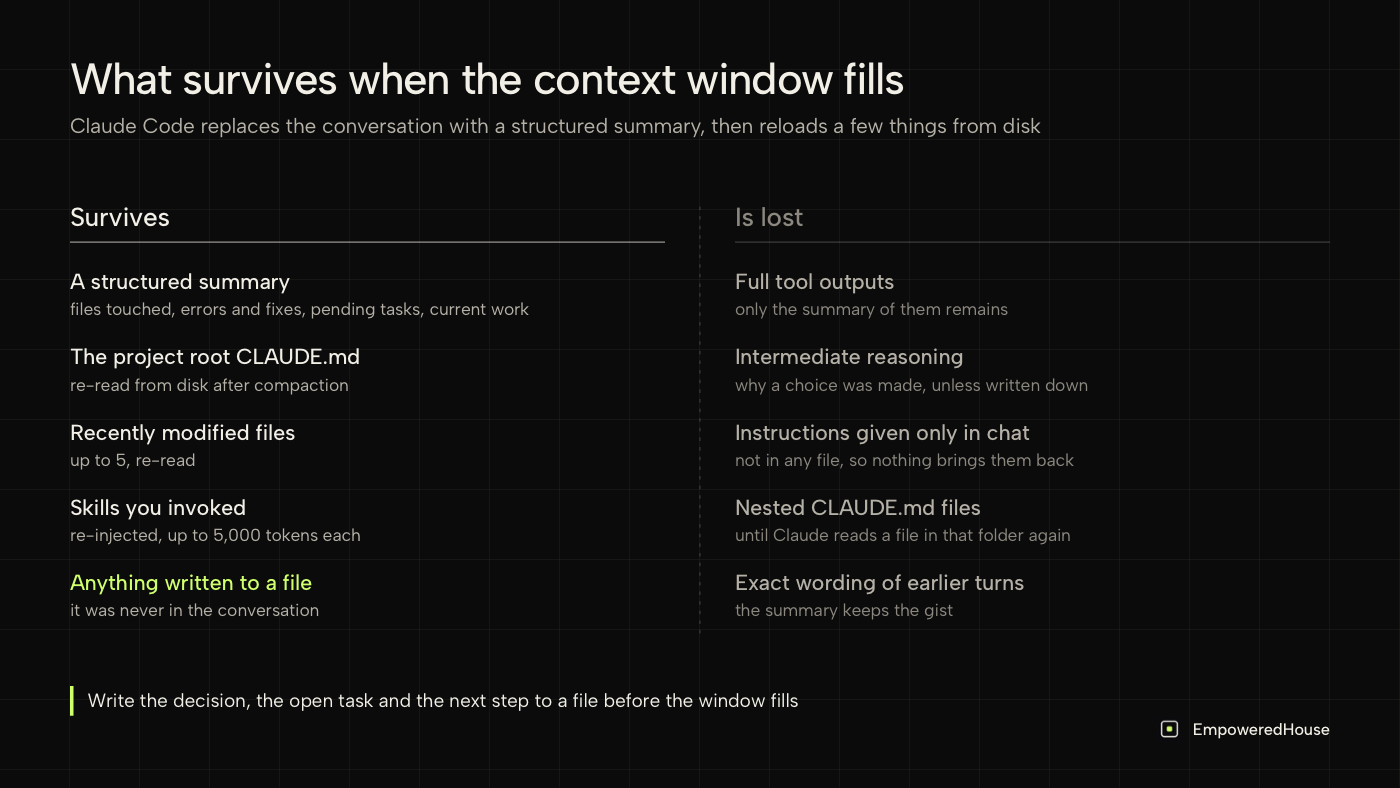
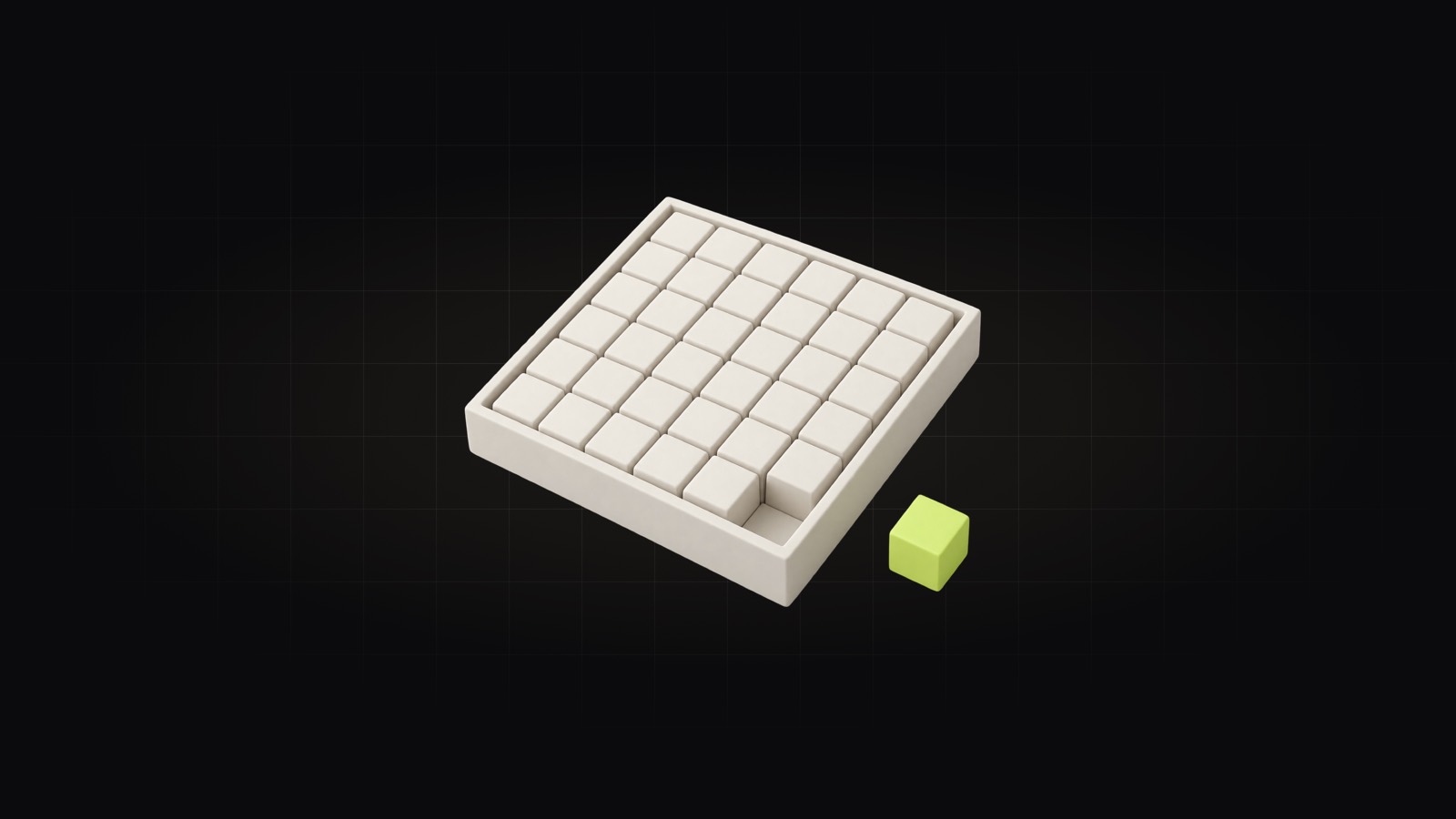
What survives compaction and what does not, from Anthropic's documentation.
What is lost, and how to keep it
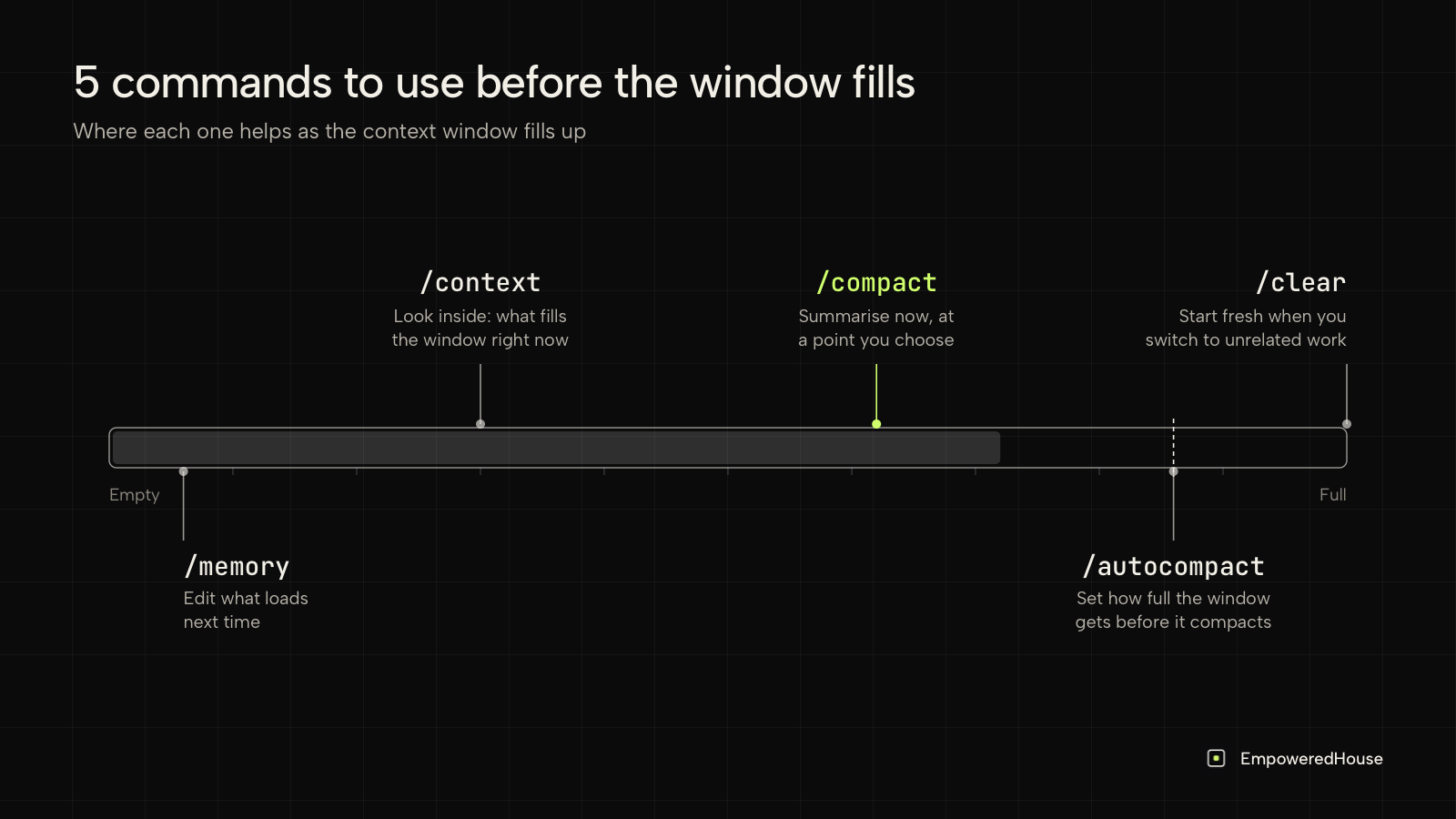
3 things disappear at compaction, and each has a better place to live.
- Instructions given only in chat. Anthropic names this as the first cause when an instruction disappears after compaction. What worked for me: a rule that matters beyond this session goes into CLAUDE.md the moment I agree on it.
- The reason behind a decision. In my sessions the summary kept the decision and, more than once, lost the reason. I write the reason next to the decision, in the file the next session will read.
- Exact output. A long test log or a query result is at best a line in the summary. If you will need the numbers, save them to a file.
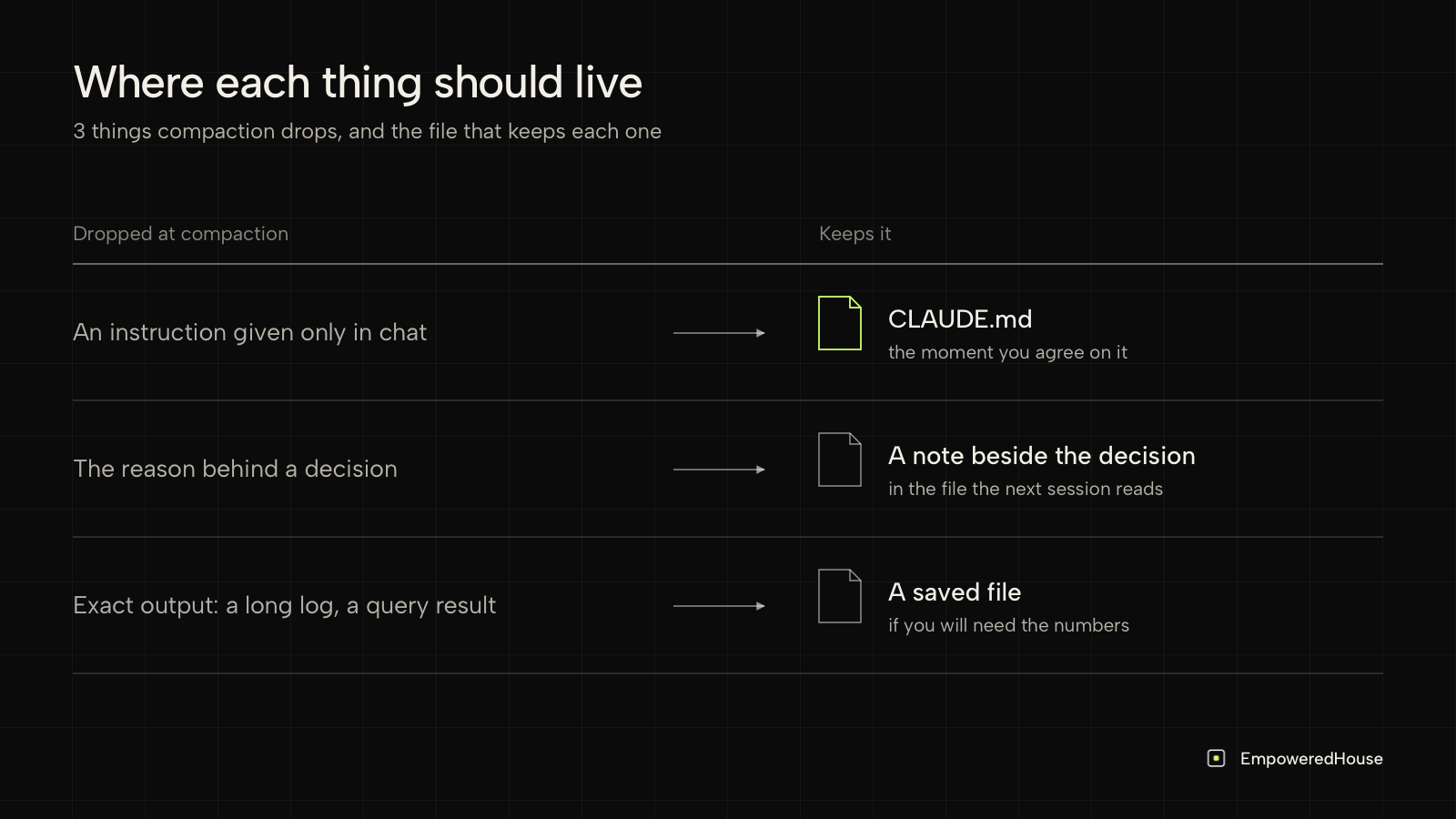
5 commands to use before the window fills
- /context shows a live breakdown of what fills the window, including which CLAUDE.md and memory files loaded. I run it when a session feels slow.
- /compact summarises the conversation now, at a point you choose, instead of when the window runs out.
- /autocompact with a token count, such as
/autocompact 500k, sets how full the window gets before the automatic pass runs. - /clear starts fresh. Anthropic's guide recommends it when you switch to unrelated work, because the old conversation crowds out the files you need next and costs tokens on every message.
- /memory opens CLAUDE.md and auto memory files so you can edit what loads next time.
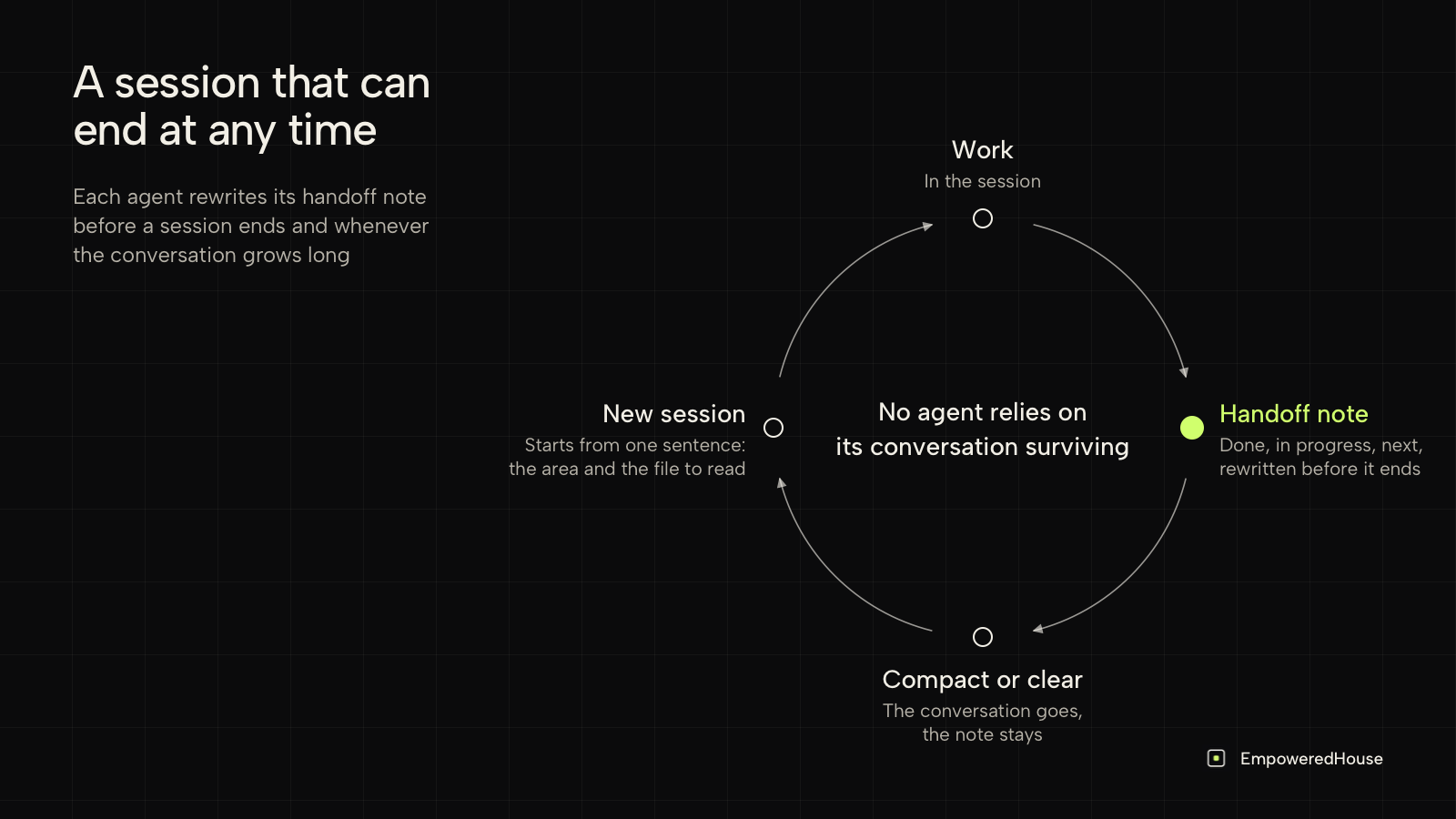
The handoff note I write before the window fills
I run marketing at EmpoweredHouse with 9 Claude Code agents, one per area of work, and none of them relies on its conversation surviving. Each agent's CLAUDE.md ends with a handoff note: what is done, what is in progress, what comes next. The agent rewrites it before a session ends and whenever the conversation grows long.
When a window fills up, I open a new conversation with one sentence that names the area and the file to read, and the new session picks up from the note.
With a single agent, I would put the handoff at the end of the project root CLAUDE.md, the file re-read after compaction. Writing things down where the next reader will look is our method applied to my own sessions, and the full pattern is in how AI agent memory works when every session starts from zero.
FAQ
What does "context window is full" mean in Claude Code?
It means the conversation, the loaded instruction files and the files Claude has read have reached the space the model can hold. Claude Code then compacts the conversation into a summary.
Does /compact lose information?
Yes. It keeps a structured summary and drops full tool outputs and intermediate reasoning. Anything written to a file survives unchanged.
Should I use /clear or /compact?
Use /compact to continue the same task with less history. Use /clear when you switch to unrelated work, as Anthropic's guide recommends.
Why does Claude forget my instructions after compaction?
The first cause Anthropic lists is an instruction given only in the conversation. Put it in the project root CLAUDE.md and it is re-read from disk after compaction.
If your sessions are short and each task stands alone, the defaults are enough. If you run long sessions or several agents on one project, I would write the handoff before you need it. If you want more setups like mine, with the files behind them, apply to Empowered Community. The founding group starts on 1 December, and applications are open until 27 November.
Facts checked against Anthropic's documentation on 13 October 2026.